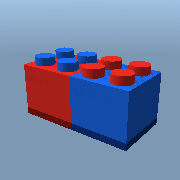
Brick26
Gear · by Brixborg
Brick26: a building tool you carry in the game. Select parts, then move, resize, turn, paint, re-surface, change the material, anchor, weld and decorate them - or make new ones. Ctrl+Z undoes.
Use it in your games: in the studio, open View > Archive, go to the Gear shelf and pick "Brick26".
The script
-- Copyright (c) 2026 Brixborg Owners. All rights reserved. See LICENSE.txt.
-- BRICK26: Brixborg's building tool. Take it out and build, in the game.
--
--   Click a part to select it. Hold Ctrl and click to add more (or to take
--   one back out). Click the sky to select nothing.
--   The last part you clicked is the FOCUS: the handles sit on it, and
--   turning goes round it.
--
--   Z  Move      drag the balls to slide the parts along
--   X  Resize    drag a ball to pull that face in or out
--   C  Rotate    drag a ball round its ring
--   V  Paint     pick a colour
--   B  Surface   studs, inlets, welds... on any face
--   N  Material  plastic, wood, neon... and see-through and shine
--   M  Anchor    held still in the air, or not
--   K  Collide   solid, or walk-through
--   J  New part  pick a shape, then click where it goes
--   G  Weld      join the parts to the focus, or break them apart
--   H  Decorate  a light, fire, smoke or sparkles
--
--   Ctrl+Z undo   Ctrl+Y redo   Ctrl+C copy the parts   Delete removes them
--
-- Locked parts and people can't be picked up. This is a LocalScript inside
-- the Brick26 Tool; the tool's Handle is the red and blue brick you hold.

-- ===========================================================================
-- THE NUMBERS (change these)
-- ===========================================================================
local STEP_STUDS = 1          -- moving and resizing go this many studs at a time (0 = smooth)
local STEP_DEGREES = 15       -- turning goes this many degrees at a time (0 = smooth)
local SMALLEST = 0.2          -- no side of a part can be made thinner than this
local NEW_PART_SIZE = Vector3.new(4, 1.2, 2) -- a new brick
local HISTORY = 60            -- how many steps Ctrl+Z can go back
local SHINE_STEP = 0.1        -- the - and + buttons for see-through and shine

-- The Brixborg look.
local BLACK = Color3.new(0.03, 0.05, 0.04)
local DARK = Color3.new(0.06, 0.12, 0.08)
local GREEN = Color3.fromRGB(70, 235, 120)
local DIM = Color3.fromRGB(40, 120, 70)
local RED = Color3.fromRGB(220, 50, 40)
local BLUE = Color3.fromRGB(40, 110, 230)

-- The colours on the paint palette.
local COLOURS = {
  "White", "Institutional white", "Light stone grey", "Medium stone grey", "Dark stone grey", "Black", "Really black", "Mid gray",
  "Bright red", "Really red", "Dusty Rose", "Medium red", "Bright orange", "Deep orange", "Br. yellowish orange", "Bright yellow",
  "New Yeller", "Cool yellow", "Lime green", "Bright green", "Dark green", "Earth green", "Camo", "Teal",
  "Toothpaste", "Cyan", "Pastel Blue", "Bright blue", "Really blue", "Navy blue", "Bright violet", "Hot pink",
  "Magenta", "Royal purple", "Lavender", "Nougat", "Brick yellow", "Brown", "Reddish brown", "Sand blue",
}
local MATERIALS = {
  "Plastic", "SmoothPlastic", "Neon", "Wood", "WoodPlanks", "Marble", "Slate", "Concrete", "Granite", "Brick",
  "Pebble", "Cobblestone", "CorrodedMetal", "DiamondPlate", "Foil", "Metal", "Grass", "Sand", "Fabric", "Ice",
}
local SURFACES = {"Smooth", "Studs", "Inlet", "Universal", "Weld", "Glue", "Hinge", "Motor", "SmoothNoOutlines"}
local SIDES = {"Top", "Bottom", "Front", "Back", "Left", "Right"}
local SHAPES = {"Block", "Ball", "Cylinder", "Wedge", "Corner", "Truss", "Seat", "Plate"}
local MODES = { -- name, key
  {"Move", "z"}, {"Resize", "x"}, {"Rotate", "c"}, {"Paint", "v"}, {"Surface", "b"}, {"Material", "n"},
  {"Anchor", "m"}, {"Collide", "k"}, {"New part", "j"}, {"Weld", "g"}, {"Decorate", "h"},
}
-- What each property of a part is remembered as, for Ctrl+Z.
local REMEMBERED = {
  "CFrame", "Size", "Color", "Material", "Transparency", "Reflectance", "Anchored", "CanCollide",
  "TopSurface", "BottomSurface", "FrontSurface", "BackSurface", "LeftSurface", "RightSurface",
}
-- ===========================================================================

local tool = script.Parent
local player = game.Players.LocalPlayer

local mouse = nil
local screen = nil        -- the ScreenGui, while the tool is out
local panel, title, status = nil, nil, nil
local modeButtons = {}
local mode = "Move"
local ctrlDown = false

local selection = {}      -- the selected parts, in the order they were picked
local boxes = {}          -- part -> its SelectionBox
local focus = nil         -- the part the handles sit on
local handles, arcs = nil, nil

local stepStuds, stepDegrees = STEP_STUDS, STEP_DEGREES
local bothSides = false   -- Resize: pull both faces out together
local eachOwnMiddle = false -- Rotate: turn each part round its own middle
local paintSide = "All"   -- Surface: which side
local newShape = "Block"  -- New part: which shape

-- ---------------------------------------------------------------------------
-- Small helpers
-- ---------------------------------------------------------------------------

local function snap(number, step)
  if step <= 0 then return number end
  return math.floor(number / step + 0.5) * step
end

-- Is this part inside someone (a model with a Humanoid)?
local function isInPerson(part)
  local up = part.Parent
  while up and up ~= workspace do
    if up:FindFirstChild("Humanoid") then return true end
    up = up.Parent
  end
  return false
end

local function canPick(part)
  return part and part:IsA("BasePart") and not part.Locked and part:IsDescendantOf(workspace) and not isInPerson(part)
end

-- The way a face of a part points, out of the part.
local function faceDirection(cframe, face)
  if face == "Right" then return cframe.rightVector end
  if face == "Left" then return -cframe.rightVector end
  if face == "Top" then return cframe.upVector end
  if face == "Bottom" then return -cframe.upVector end
  if face == "Back" then return -cframe.lookVector end
  return cframe.lookVector -- Front
end

-- Just the turn of a CFrame (no position).
local function turnOnly(cframe)
  return CFrame.new(-cframe.p) * cframe
end

local function isSelected(part)
  for _, p in ipairs(selection) do if p == part then return true end end
  return false
end

-- ---------------------------------------------------------------------------
-- Undo and redo. Every change is a list of parts' properties before and
-- after, and of things put into or taken out of the world.
-- ---------------------------------------------------------------------------
local past, future = {}, {}

local function remember(part)
  local values = {}
  for _, name in ipairs(REMEMBERED) do values[name] = part[name] end
  return values
end

-- Call before changing the parts: it notes how they are now.
local function beginChange(parts)
  local change = {props = {}, parents = {}}
  for _, part in ipairs(parts or selection) do
    table.insert(change.props, {part = part, before = remember(part)})
  end
  return change
end

-- Put something into the world (or take it out, with parent = nil), as
-- part of a change.
local function moveTo(change, thing, parent)
  table.insert(change.parents, {thing = thing, before = thing.Parent, after = parent})
  thing.Parent = parent
end

-- Call after changing the parts: the change goes on the Ctrl+Z list.
local function endChange(change)
  for _, entry in ipairs(change.props) do entry.after = remember(entry.part) end
  table.insert(past, change)
  if #past > HISTORY then table.remove(past, 1) end
  future = {}
end

local refreshAdornments -- (below)

local function apply(change, which)
  -- Parents first (in the right order), then properties.
  local list = change.parents
  if which == "before" then
    for i = #list, 1, -1 do list[i].thing.Parent = list[i].before end
  else
    for i = 1, #list do list[i].thing.Parent = list[i].after end
  end
  for _, entry in ipairs(change.props) do
    for name, value in pairs(entry[which]) do entry.part[name] = value end
  end
  -- Forget selected parts that are no longer in the world.
  local still = {}
  for _, part in ipairs(selection) do
    if part:IsDescendantOf(workspace) then table.insert(still, part) end
  end
  selection = still
  if focus and not focus:IsDescendantOf(workspace) then focus = selection[#selection] end
  refreshAdornments()
end

local function undo()
  local change = table.remove(past)
  if not change then return end
  apply(change, "before")
  table.insert(future, change)
end

local function redo()
  local change = table.remove(future)
  if not change then return end
  apply(change, "after")
  table.insert(past, change)
end

-- ---------------------------------------------------------------------------
-- What is selected, and the outlines and handles drawn on it
-- ---------------------------------------------------------------------------

local function updateStatus()
  if not status then return end
  if #selection == 0 then
    status.Text = "Click a part to select it"
  elseif #selection == 1 then
    status.Text = "1 part selected"
  else
    status.Text = #selection .. " parts selected"
  end
end

refreshAdornments = function()
  if not screen then return end
  -- An outline round every selected part (brighter round the focus).
  for part, box in pairs(boxes) do
    if not isSelected(part) then box:Destroy(); boxes[part] = nil end
  end
  for _, part in ipairs(selection) do
    local box = boxes[part]
    if not box then
      box = Instance.new("SelectionBox", screen)
      box.Adornee = part
      box.LineThickness = 0.08
      boxes[part] = box
    end
    box.Color = BrickColor.new(part == focus and "Lime green" or "Toothpaste")
  end
  -- The handles, on the focus.
  handles.Adornee = (mode == "Move" or mode == "Resize") and focus or nil
  handles.Color3 = mode == "Move" and Color3.fromRGB(255, 160, 40) or Color3.fromRGB(60, 200, 255)
  arcs.Adornee = mode == "Rotate" and focus or nil
  updateStatus()
end

local function select(part, adding)
  if not adding then selection = {} end
  if adding and isSelected(part) then
    for i, p in ipairs(selection) do if p == part then table.remove(selection, i) break end end
    focus = selection[#selection]
  else
    table.insert(selection, part)
    focus = part
  end
  refreshAdornments()
end

local function selectNothing()
  selection = {}
  focus = nil
  refreshAdornments()
end

-- ---------------------------------------------------------------------------
-- Dragging the handles
-- ---------------------------------------------------------------------------
local drag = nil -- while dragging: {change, starts = {part -> {cframe, size, anchored}}, focus}

local function startDrag()
  if #selection == 0 or not focus then return end
  drag = {change = beginChange(), starts = {}, focus = focus.CFrame}
  for _, part in ipairs(selection) do
    drag.starts[part] = {cframe = part.CFrame, size = part.Size, anchored = part.Anchored}
    part.Anchored = true -- (held still while it is being dragged)
  end
end

local function finishDrag()
  if not drag then return end
  for part, start in pairs(drag.starts) do part.Anchored = start.anchored end
  endChange(drag.change)
  drag = nil
end

local function moveDrag(face, distance)
  local along = faceDirection(drag.focus, face) * snap(distance, stepStuds)
  for part, start in pairs(drag.starts) do
    part.CFrame = start.cframe + along
  end
end

local function resizeDrag(face, distance)
  local amount = snap(distance, stepStuds)
  for part, start in pairs(drag.starts) do
    local axis = (face == "Right" or face == "Left") and "X" or (face == "Top" or face == "Bottom") and "Y" or "Z"
    local was = start.size[axis]
    local grow = bothSides and amount * 2 or amount
    local now = math.max(SMALLEST, was + grow)
    grow = now - was
    local size
    if part:IsA("Part") and part.Shape.Name == "Ball" then
      size = Vector3.new(now, now, now)
    elseif axis == "X" then
      size = Vector3.new(now, start.size.Y, start.size.Z)
    elseif axis == "Y" then
      size = Vector3.new(start.size.X, now, start.size.Z)
    else
      size = Vector3.new(start.size.X, start.size.Y, now)
    end
    part.Size = size
    -- Pulling one face keeps the opposite face where it was.
    local shift = bothSides and Vector3.new(0, 0, 0) or faceDirection(start.cframe, face) * (grow / 2)
    part.CFrame = start.cframe + shift
  end
end

local function rotateDrag(axis, angle)
  local turn = math.rad(snap(math.deg(angle), stepDegrees))
  local spin = axis == "X" and CFrame.Angles(turn, 0, 0) or axis == "Y" and CFrame.Angles(0, turn, 0) or CFrame.Angles(0, 0, turn)
  -- The same turn, but round the focus's own axis, in the world.
  local world = turnOnly(drag.focus) * spin * turnOnly(drag.focus):inverse()
  for part, start in pairs(drag.starts) do
    local middle = eachOwnMiddle and start.cframe.p or drag.focus.p
    part.CFrame = CFrame.new(middle) * world * CFrame.new(-middle) * start.cframe
  end
end

-- ---------------------------------------------------------------------------
-- Changing every selected part at once
-- ---------------------------------------------------------------------------

local function changeAll(set)
  if #selection == 0 then return end
  local change = beginChange()
  for _, part in ipairs(selection) do set(part) end
  endChange(change)
end

local function copyParts()
  if #selection == 0 then return end
  local change = beginChange({})
  local copies = {}
  for _, part in ipairs(selection) do
    local copy = part:Clone()
    moveTo(change, copy, part.Parent)
    table.insert(copies, copy)
  end
  endChange(change)
  selection = copies
  focus = copies[#copies]
  refreshAdornments()
end

local function deleteParts()
  if #selection == 0 then return end
  local change = beginChange({})
  for _, part in ipairs(selection) do moveTo(change, part, nil) end
  endChange(change)
  selectNothing()
end

-- Add (or take away) a Fire, Smoke... in every selected part.
local function decorate(className)
  if #selection == 0 then return end
  local taking = focus and focus:FindFirstChildOfClass(className) ~= nil
  local change = beginChange({})
  for _, part in ipairs(selection) do
    local found = part:FindFirstChildOfClass(className)
    if taking and found then
      moveTo(change, found, nil)
    elseif not taking and not found then
      moveTo(change, Instance.new(className), part)
    end
  end
  endChange(change)
end

local function weldToFocus()
  if not focus or #selection < 2 then return end
  local change = beginChange({})
  for _, part in ipairs(selection) do
    if part ~= focus then
      local weld = Instance.new("Weld")
      weld.Name = "Brick26Weld"
      weld.Part0 = focus
      weld.Part1 = part
      weld.C0 = focus.CFrame:inverse() * part.CFrame
      moveTo(change, weld, focus)
    end
  end
  endChange(change)
end

local function breakWelds()
  if #selection == 0 then return end
  local change = beginChange({})
  for _, joint in ipairs(workspace:GetDescendants()) do
    if joint:IsA("JointInstance") and (isSelected(joint.Part0) or isSelected(joint.Part1)) then
      moveTo(change, joint, nil)
    end
  end
  endChange(change)
end

-- A new part where the pointer is, sitting on the face it points at.
local function placeNewPart()
  local target = mouse.Target
  if not target then return end
  local part
  if newShape == "Wedge" then part = Instance.new("WedgePart")
  elseif newShape == "Corner" then part = Instance.new("CornerWedgePart")
  elseif newShape == "Truss" then part = Instance.new("TrussPart")
  elseif newShape == "Seat" then part = Instance.new("Seat")
  else part = Instance.new("Part") end
  local size = NEW_PART_SIZE
  if newShape == "Ball" then part.Shape = Enum.PartType.Ball; size = Vector3.new(2, 2, 2) end
  if newShape == "Cylinder" then part.Shape = Enum.PartType.Cylinder; size = Vector3.new(2, 2, 2) end
  if newShape == "Truss" then size = Vector3.new(2, 2, 2) end
  if newShape == "Corner" then size = Vector3.new(2, 2, 2) end
  if newShape == "Seat" then size = Vector3.new(2, 1, 2) end
  if newShape == "Plate" then size = Vector3.new(4, 0.4, 2) end
  part.Size = size
  part.Anchored = true
  part.BrickColor = BrickColor.new("Medium stone grey")
  -- Out from the face pointed at, by half the new part's thickness that way.
  local out = faceDirection(target.CFrame, mouse.TargetSurface.Name)
  local half = math.abs(out.X) * size.X / 2 + math.abs(out.Y) * size.Y / 2 + math.abs(out.Z) * size.Z / 2
  local at = mouse.Hit.p + out * half
  -- Lined up on the grid, except in the direction it sits out.
  local function grid(n, o) if math.abs(o) > 0.5 then return n end return snap(n, stepStuds) end
  at = Vector3.new(grid(at.X, out.X), grid(at.Y, out.Y), grid(at.Z, out.Z))
  part.CFrame = CFrame.new(at)
  local change = beginChange({})
  moveTo(change, part, workspace)
  endChange(change)
  select(part, false)
end

-- ---------------------------------------------------------------------------
-- The panel
-- ---------------------------------------------------------------------------

local function label(parent, text, x, y, w, h, colour)
  local l = Instance.new("TextLabel", parent)
  l.Position = UDim2.new(0, x, 0, y)
  l.Size = UDim2.new(0, w, 0, h)
  l.BackgroundTransparency = 1
  l.TextColor3 = colour or GREEN
  l.Font = Enum.Font.SourceSansBold
  l.FontSize = Enum.FontSize.Size14
  l.TextXAlignment = Enum.TextXAlignment.Left
  l.Text = text
  return l
end

local function button(parent, text, x, y, w, h, onClick)
  local b = Instance.new("TextButton", parent)
  b.Position = UDim2.new(0, x, 0, y)
  b.Size = UDim2.new(0, w, 0, h)
  b.BackgroundColor3 = DARK
  b.BorderColor3 = DIM
  b.TextColor3 = GREEN
  b.Font = Enum.Font.SourceSansBold
  b.FontSize = Enum.FontSize.Size14
  b.Text = text
  b.MouseButton1Click:connect(onClick)
  return b
end

-- A box to type a number in. `get` reads it, `set` stores a new one.
local function numberBox(parent, text, x, y, get, set)
  label(parent, text, x, y, 110, 24)
  local box = Instance.new("TextBox", parent)
  box.Position = UDim2.new(0, x + 116, 0, y)
  box.Size = UDim2.new(0, 60, 0, 24)
  box.BackgroundColor3 = BLACK
  box.BorderColor3 = GREEN
  box.TextColor3 = GREEN
  box.Font = Enum.Font.SourceSansBold
  box.FontSize = Enum.FontSize.Size14
  box.ClearTextOnFocus = false
  box.Text = tostring(get())
  box.FocusLost:connect(function()
    local n = tonumber(box.Text)
    if n and n >= 0 then set(n) end
    box.Text = tostring(get())
  end)
end

-- A row of choices, one of them lit.
local function choices(parent, list, x, y, w, h, columns, current, choose)
  local buttons = {}
  for i, name in ipairs(list) do
    local column = (i - 1) % columns
    local row = math.floor((i - 1) / columns)
    local b = button(parent, name, x + column * (w + 4), y + row * (h + 4), w, h, function()
      choose(name)
      for n, other in pairs(buttons) do other.BorderColor3 = n == name and GREEN or DIM end
    end)
    b.BorderColor3 = name == current and GREEN or DIM
    buttons[name] = b
  end
  return y + math.ceil(#list / columns) * (h + 4)
end

local showMode -- (below)

-- What is on the panel for each mode.
local function fillPanel(body)
  local y = 0
  if mode == "Move" then
    label(body, "Drag the orange balls.", 0, y, 200, 20); y = y + 26
    numberBox(body, "Step (studs)", 0, y, function() return stepStuds end, function(n) stepStuds = n end)
  elseif mode == "Resize" then
    label(body, "Drag a blue ball to pull its face.", 0, y, 200, 20); y = y + 26
    numberBox(body, "Step (studs)", 0, y, function() return stepStuds end, function(n) stepStuds = n end); y = y + 32
    choices(body, {"One side", "Both sides"}, 0, y, 92, 24, 2, bothSides and "Both sides" or "One side",
      function(name) bothSides = name == "Both sides" end)
  elseif mode == "Rotate" then
    label(body, "Drag a ball round its ring.", 0, y, 200, 20); y = y + 26
    numberBox(body, "Step (degrees)", 0, y, function() return stepDegrees end, function(n) stepDegrees = n end); y = y + 32
    label(body, "Turn round:", 0, y, 200, 20); y = y + 22
    choices(body, {"The focus", "Each part"}, 0, y, 92, 24, 2, eachOwnMiddle and "Each part" or "The focus",
      function(name) eachOwnMiddle = name == "Each part" end)
  elseif mode == "Paint" then
    for i, name in ipairs(COLOURS) do
      local column, row = (i - 1) % 8, math.floor((i - 1) / 8)
      local swatch = button(body, "", column * 24, row * 24, 20, 20, function()
        changeAll(function(part) part.BrickColor = BrickColor.new(name) end)
      end)
      swatch.BackgroundColor3 = BrickColor.new(name).Color
      swatch.BorderColor3 = BLACK
    end
  elseif mode == "Surface" then
    label(body, "Which side:", 0, y, 200, 20); y = y + 22
    local sides = {"All"}
    for _, s in ipairs(SIDES) do table.insert(sides, s) end
    y = choices(body, sides, 0, y, 46, 22, 4, paintSide, function(name) paintSide = name end) + 6
    label(body, "Make it:", 0, y, 200, 20); y = y + 22
    for i, kind in ipairs(SURFACES) do
      local column, row = (i - 1) % 2, math.floor((i - 1) / 2)
      button(body, kind, column * 96, y + row * 26, 92, 22, function()
        changeAll(function(part)
          for _, side in ipairs(SIDES) do
            if paintSide == "All" or paintSide == side then part[side .. "Surface"] = Enum.SurfaceType[kind] end
          end
        end)
      end)
    end
  elseif mode == "Material" then
    for i, name in ipairs(MATERIALS) do
      local column, row = (i - 1) % 2, math.floor((i - 1) / 2)
      button(body, name, column * 96, row * 22, 92, 20, function()
        changeAll(function(part) part.Material = Enum.Material[name] end)
      end)
    end
    y = 10 * 22 + 6
    for i, what in ipairs({"Transparency", "Reflectance"}) do
      label(body, what == "Transparency" and "See-through" or "Shine", 0, y, 90, 22)
      button(body, "-", 100, y, 40, 22, function()
        changeAll(function(part) part[what] = math.max(0, part[what] - SHINE_STEP) end)
      end)
      button(body, "+", 146, y, 40, 22, function()
        changeAll(function(part) part[what] = math.min(1, part[what] + SHINE_STEP) end)
      end)
      y = y + 26
    end
  elseif mode == "Anchor" then
    button(body, "Anchor (held still)", 0, y, 188, 28, function() changeAll(function(p) p.Anchored = true end) end); y = y + 34
    button(body, "Unanchor (can fall)", 0, y, 188, 28, function() changeAll(function(p) p.Anchored = false end) end)
  elseif mode == "Collide" then
    button(body, "Solid", 0, y, 188, 28, function() changeAll(function(p) p.CanCollide = true end) end); y = y + 34
    button(body, "Walk-through", 0, y, 188, 28, function() changeAll(function(p) p.CanCollide = false end) end)
  elseif mode == "New part" then
    label(body, "Pick a shape, then click", 0, y, 200, 20); y = y + 18
    label(body, "where it goes.", 0, y, 200, 20); y = y + 26
    choices(body, SHAPES, 0, y, 92, 24, 2, newShape, function(name) newShape = name end)
  elseif mode == "Weld" then
    label(body, "Joins the parts to the focus.", 0, y, 200, 20); y = y + 26
    button(body, "Weld to focus", 0, y, 188, 28, weldToFocus); y = y + 34
    button(body, "Break welds", 0, y, 188, 28, breakWelds)
  elseif mode == "Decorate" then
    label(body, "Click again to take it off.", 0, y, 200, 20); y = y + 26
    for _, kind in ipairs({{"Light", "PointLight"}, {"Fire", "Fire"}, {"Smoke", "Smoke"}, {"Sparkles", "Sparkles"}}) do
      button(body, kind[1], 0, y, 188, 28, function() decorate(kind[2]) end)
      y = y + 34
    end
  end
end

showMode = function(name)
  mode = name
  if not screen then return end
  title.Text = "BRICK26 - " .. string.upper(name)
  for n, b in pairs(modeButtons) do
    b.BackgroundColor3 = n == name and DIM or DARK
    b.TextColor3 = n == name and BLACK or GREEN
  end
  local old = panel:FindFirstChild("Body")
  if old then old:Destroy() end
  local body = Instance.new("Frame", panel)
  body.Name = "Body"
  body.BackgroundTransparency = 1
  body.Position = UDim2.new(0, 10, 0, 56)
  body.Size = UDim2.new(1, -20, 1, -100)
  fillPanel(body)
  refreshAdornments()
end

local function buildScreen()
  screen = Instance.new("ScreenGui")
  screen.Name = "Brick26"

  -- The column of modes, down the right edge.
  local column = Instance.new("Frame", screen)
  column.Position = UDim2.new(1, -96, 0.5, -214)
  column.Size = UDim2.new(0, 86, 0, 11 * 34 + 8)
  column.BackgroundColor3 = BLACK
  column.BorderColor3 = GREEN
  modeButtons = {}
  for i, m in ipairs(MODES) do
    modeButtons[m[1]] = button(column, string.upper(m[2]) .. "  " .. m[1], 4, 4 + (i - 1) * 34, 78, 30, function() showMode(m[1]) end)
  end

  -- The panel for the mode, beside it.
  panel = Instance.new("Frame", screen)
  panel.Position = UDim2.new(1, -312, 0.5, -214)
  panel.Size = UDim2.new(0, 208, 0, 11 * 34 + 8)
  panel.BackgroundColor3 = BLACK
  panel.BorderColor3 = GREEN
  -- A red and blue stripe, like the brick.
  local stripe = Instance.new("Frame", panel)
  stripe.Size = UDim2.new(0.5, 0, 0, 4)
  stripe.BackgroundColor3 = RED
  stripe.BorderSizePixel = 0
  local stripe2 = Instance.new("Frame", panel)
  stripe2.Position = UDim2.new(0.5, 0, 0, 0)
  stripe2.Size = UDim2.new(0.5, 0, 0, 4)
  stripe2.BackgroundColor3 = BLUE
  stripe2.BorderSizePixel = 0
  title = label(panel, "BRICK26", 10, 8, 190, 22)
  title.FontSize = Enum.FontSize.Size18
  status = label(panel, "", 10, 30, 190, 20, DIM)

  -- Along the bottom: copy, delete, undo, redo.
  local bottom = 11 * 34 + 8 - 34
  button(panel, "Copy", 6, bottom, 46, 28, copyParts)
  button(panel, "Delete", 56, bottom, 46, 28, deleteParts)
  button(panel, "Undo", 106, bottom, 46, 28, undo)
  button(panel, "Redo", 156, bottom, 46, 28, redo)

  -- The handles (they only show when they have a part to sit on).
  handles = Instance.new("Handles", screen)
  arcs = Instance.new("ArcHandles", screen)
  handles.MouseButton1Down:connect(startDrag)
  handles.MouseButton1Up:connect(finishDrag)
  handles.MouseDrag:connect(function(face, distance)
    if not drag then return end
    if mode == "Move" then moveDrag(face.Name, distance) else resizeDrag(face.Name, distance) end
  end)
  arcs.MouseButton1Down:connect(startDrag)
  arcs.MouseButton1Up:connect(finishDrag)
  arcs.MouseDrag:connect(function(axis, angle)
    if drag then rotateDrag(axis.Name, angle) end
  end)

  screen.Parent = player:FindFirstChild("PlayerGui") or Instance.new("PlayerGui", player)
  boxes = {}
  showMode(mode)
end

-- ---------------------------------------------------------------------------
-- Taking it out and putting it away
-- ---------------------------------------------------------------------------
local connections = {}

tool.Equipped:connect(function(theMouse)
  mouse = theMouse or player:GetMouse()
  buildScreen()
  table.insert(connections, mouse.Button1Down:connect(function()
    if mode == "New part" then placeNewPart() return end
    local target = mouse.Target
    if canPick(target) then
      select(target, ctrlDown)
    elseif not ctrlDown then
      selectNothing()
    end
  end))
  table.insert(connections, mouse.KeyDown:connect(function(key)
    if key == "ctrl" then ctrlDown = true return end
    if key == "delete" then deleteParts() return end
    if ctrlDown then
      if key == "z" then undo() elseif key == "y" then redo() elseif key == "c" then copyParts() end
      return
    end
    for _, m in ipairs(MODES) do
      if key == m[2] then showMode(m[1]) end
    end
  end))
  table.insert(connections, mouse.KeyUp:connect(function(key)
    if key == "ctrl" then ctrlDown = false end
  end))
end)

tool.Unequipped:connect(function()
  finishDrag()
  for _, c in ipairs(connections) do c:disconnect() end
  connections = {}
  if screen then screen:Destroy() end
  screen = nil
  boxes = {}
  selection = {}
  focus = nil
  ctrlDown = false
end)